Best Apps to Learn Brazilian Portuguese on Android

By Bruno Lopes · Brazilian Portuguese teacher · Real Life Portuguese co-founder
Host of I Speak Portuguese · Updated
Meet Bruno and the teaching teamA shortlist organized by the practice you want
You can use the same phone for very different activities: hearing an expression, following a course, recalling an answer or doing a quick review. Choose the activity first, then check the Android implementation.
Our perspective: Bruno Lopes is a co-founder of Real Life Portuguese, and this website promotes the app. This selection uses official product and store information checked on October 21, 2026. We did not run a comparative device benchmark, complete every course or measure learning outcomes. The order below is an editorial choice by learning goal.
| App | Consider it for | Check on your Android phone |
|---|---|---|
| Real Life Portuguese | Brazilian voices, everyday expressions and contextual practice | Compatibility, lesson playback and the activities available in your account |
| Babbel | A structured Brazilian Portuguese course with review | Course language, speaking exercises and microphone permission |
| Pimsleur | Guided audio practice with downloadable audio lessons | The Brazilian course, completed downloads and your listening setup |
| Duolingo | Short lessons with game-like progression | The Portuguese course and the conversation tools in your offer |
Real Life Portuguese: our pick for everyday Brazilian language
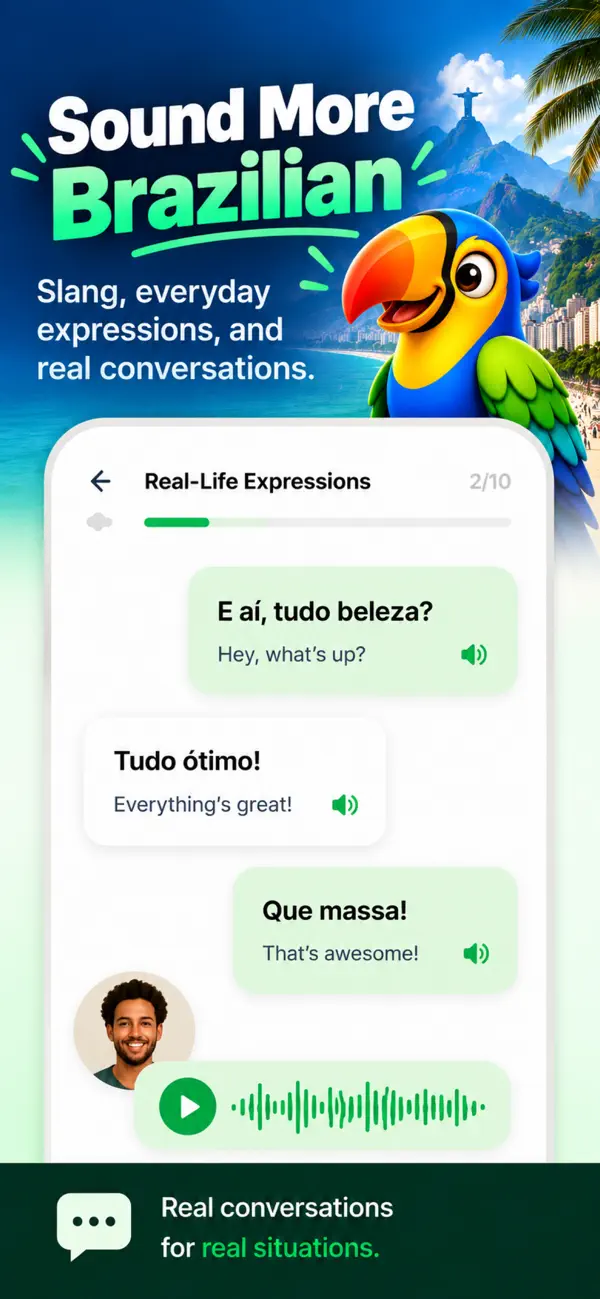
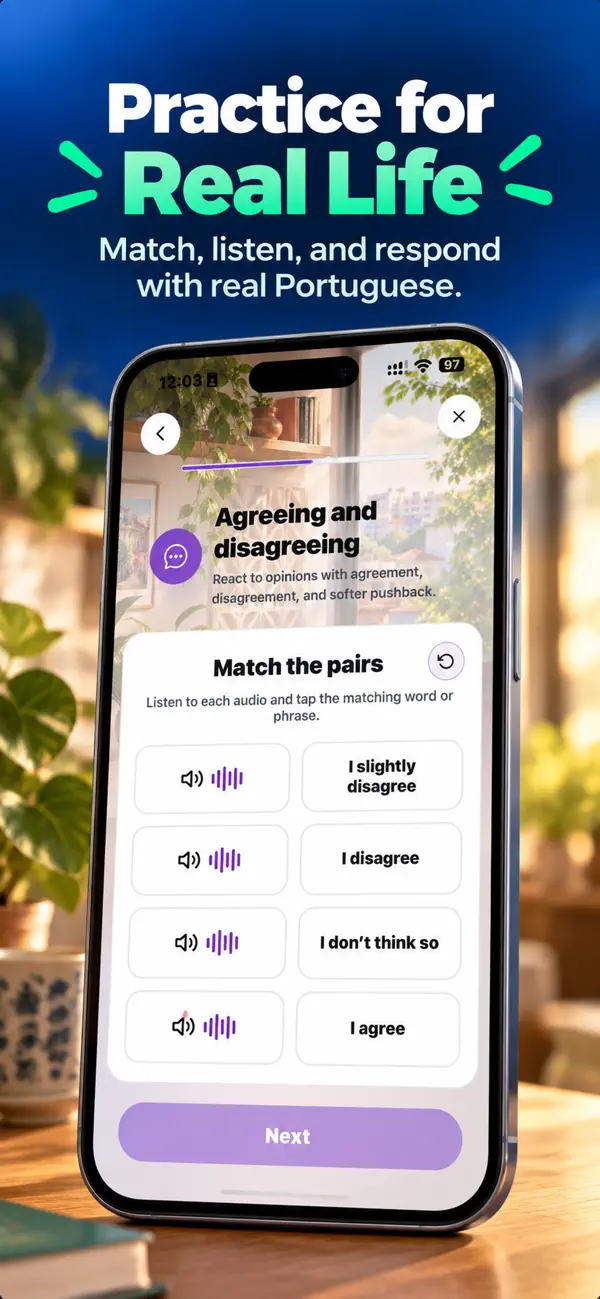
Real Life Portuguese is built around Brazilian Portuguese for everyday interactions. Its Google Play description lists native Brazilian recordings, practical dialogues, slang and cultural expressions, and interactive quizzes. That focus is relevant when your goal is understanding a Brazilian friend, responding to a greeting or handling a travel exchange.
For example, learning bora is more useful when you understand that it can be an informal invitation to get going or do something together. Look for the situation, hear the model, and make your own reply. An app can supply practice material; using it in a new exchange is a separate task.
The listing identifies the publisher as RLP - Emanuel. Its Android requirement is shown as “Varies with device”. Use the compatibility information for the phone you intend to use.
Get Real Life Portuguese on Google Play · Explore the app and current lesson examples.
Babbel: consider a structured course
Babbel identifies its Portuguese course as Brazilian Portuguese. Its Android listing describes lesson activities, grammar explanations and review; its help guide explains microphone-based speaking exercises. Check that the course and teaching language match what you want, then try an exercise on your actual phone.
Sources: Babbel on Google Play and Babbel’s language guide. Our Babbel review explains the documented course coverage and its limits.
Pimsleur: consider an audio lesson routine
Pimsleur offers a specifically Brazilian Portuguese course. Its official FAQ documents Android support and downloading audio lessons for offline use inside the mobile app. That makes it worth comparing if you want a prepared audio session where connectivity may be limited. Check the course name: Pimsleur also offers European Portuguese.
Use the Brazilian course page and official mobile and download FAQ. Download availability does not establish that every conversation or feedback feature works offline.
Duolingo: consider short lesson sessions
Duolingo’s Android listing describes short activities across language skills. If a small daily session helps you maintain a routine, inspect the Portuguese course and decide whether the activities fit your next goal. Do not equate a streak with a conversation assessment.
Its Max documentation lists Video Call and Roleplay for English speakers learning Portuguese on Android and iOS; check actual availability in your account. Sources: Google Play listing and our documented feature review.
Make the Android choice on your own device
- Check that your phone can install it. Read Google Play’s current device and account information. A public web listing alone does not guarantee installation on every phone or in every country.
- Check the audio route. Play a lesson through the speaker and the headphones you plan to use. If an exercise records speech, check the input too; hearing a clip does not prove the app can hear you.
- Review microphone access when relevant. Babbel’s official instructions point Android users to App info and Permissions for speaking exercises. Menu wording can vary by device.
- Prepare for travel connectivity. Where downloads are supported, finish them while connected and confirm the specific material opens without a connection before relying on it.
- Check the offer you actually receive. Included content, renewal terms and account access can differ. Do not assume an iPhone offer or an older screenshot describes the Android offer.
Try one useful task before adding another app
Choose a greeting, a restaurant question or a pickup message. Listen to a model, hide the written answer, and reply aloud. Then change a detail. Use what you notice to choose your next listening, recall or conversation exercise.
For a Brazil trip, begin with restaurant questions or Uber pickup language. For everyday Brazilian expressions and native audio, start with Real Life Portuguese. Keep the routine small enough to use regularly and add a teacher or conversation partner when you need feedback on a real exchange.
Frequently asked questions
Is Real Life Portuguese available for Android?
Yes. Its public Google Play listing is offered by RLP - Emanuel. Check the listing on your own device and account for installation availability.
Which Android app should I choose for Brazilian Portuguese?
Compare Real Life Portuguese for Brazilian expressions and native audio, Babbel for a structured course, Pimsleur for guided audio practice, and Duolingo for short lesson sessions. This is an editorial shortlist from the Real Life Portuguese team, not an independent effectiveness ranking.
Can I study Brazilian Portuguese offline on Android?
Pimsleur documents downloading audio lessons for offline use inside its mobile app. Download first and check the lessons you need. We have not established full offline operation for every app or activity in this guide.
What Android version does Real Life Portuguese require?
The Google Play details checked on October 21, 2026 said Varies with device. Use the compatibility information shown for your own Android device rather than a universal version number from an older article.